Governing the AI skills a team runs
Atlas
How a team approves the AI skills its people run, and how that approval reaches a Mac launcher at the moment someone runs one.
Overview
Atlas is where a team approves its AI skills. Prompt Palette is the Mac app people run them from.
I designed and built both myself in 2026. The palette came first, as my own launcher for prompts. Atlas is where a team lead approves which version of a skill is the team’s standard. While building Atlas, I realized the two could complement each other. Atlas decides what the team should run, and the palette is where people run it.
Teams share AI skills the way they once shared macros. Someone writes a good one, it spreads through Slack and dotfiles, and the copies drift. A team lead has no way to make sure people run the approved version. Afterward, nobody can say who ran which version.
One decision shaped both apps. An approval sets the team’s standard, and anyone can still run any skill.
The outcome. I’ve used the palette every day since early 2026. Atlas works on demo data. The redesign that connects the palette to Atlas is on a branch and not released, and nothing is wired to real GitHub yet.
- Foundation
- A governance data model spec, reviewed three times before any screen, with proto-personas, jobs and seven success criteria.
- Atlas
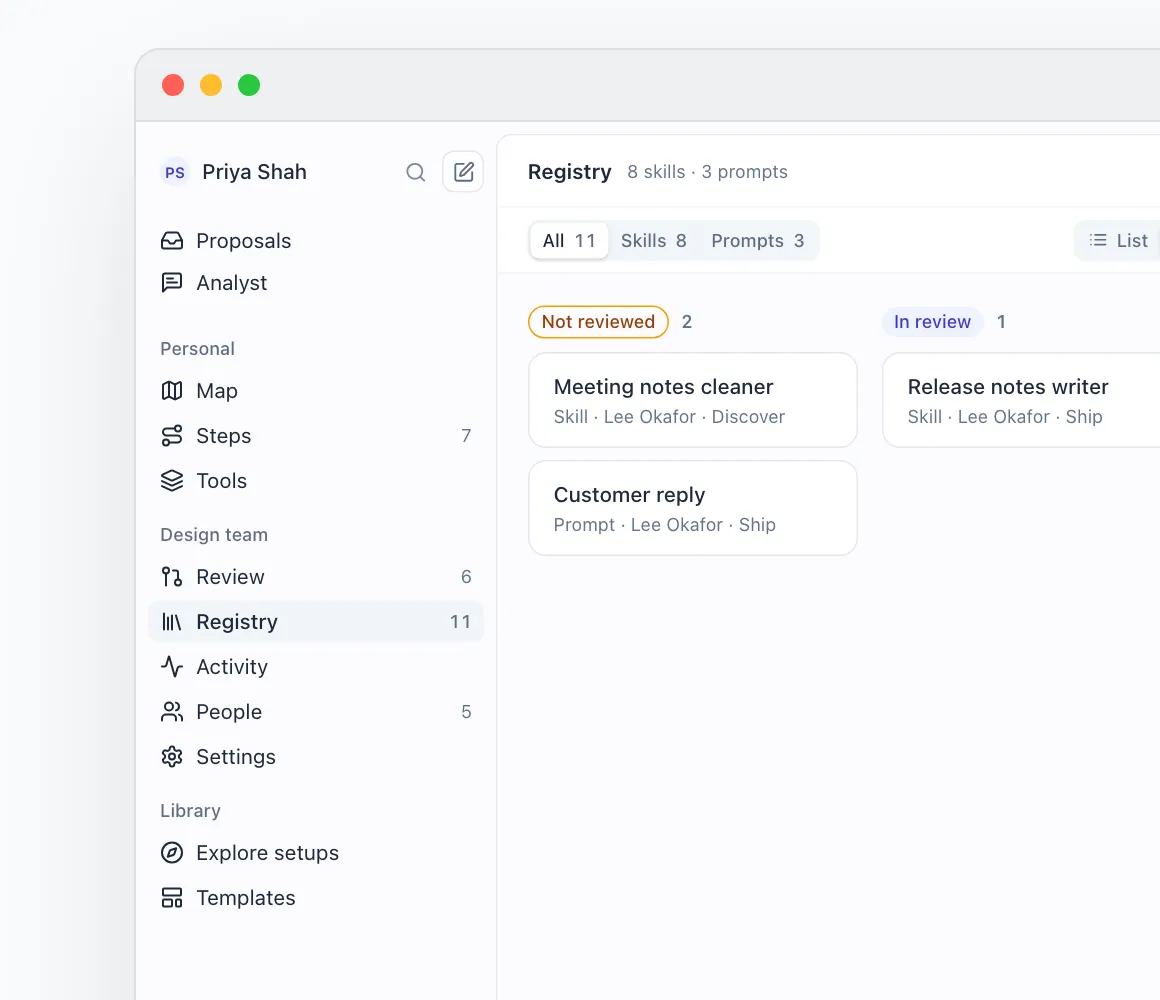
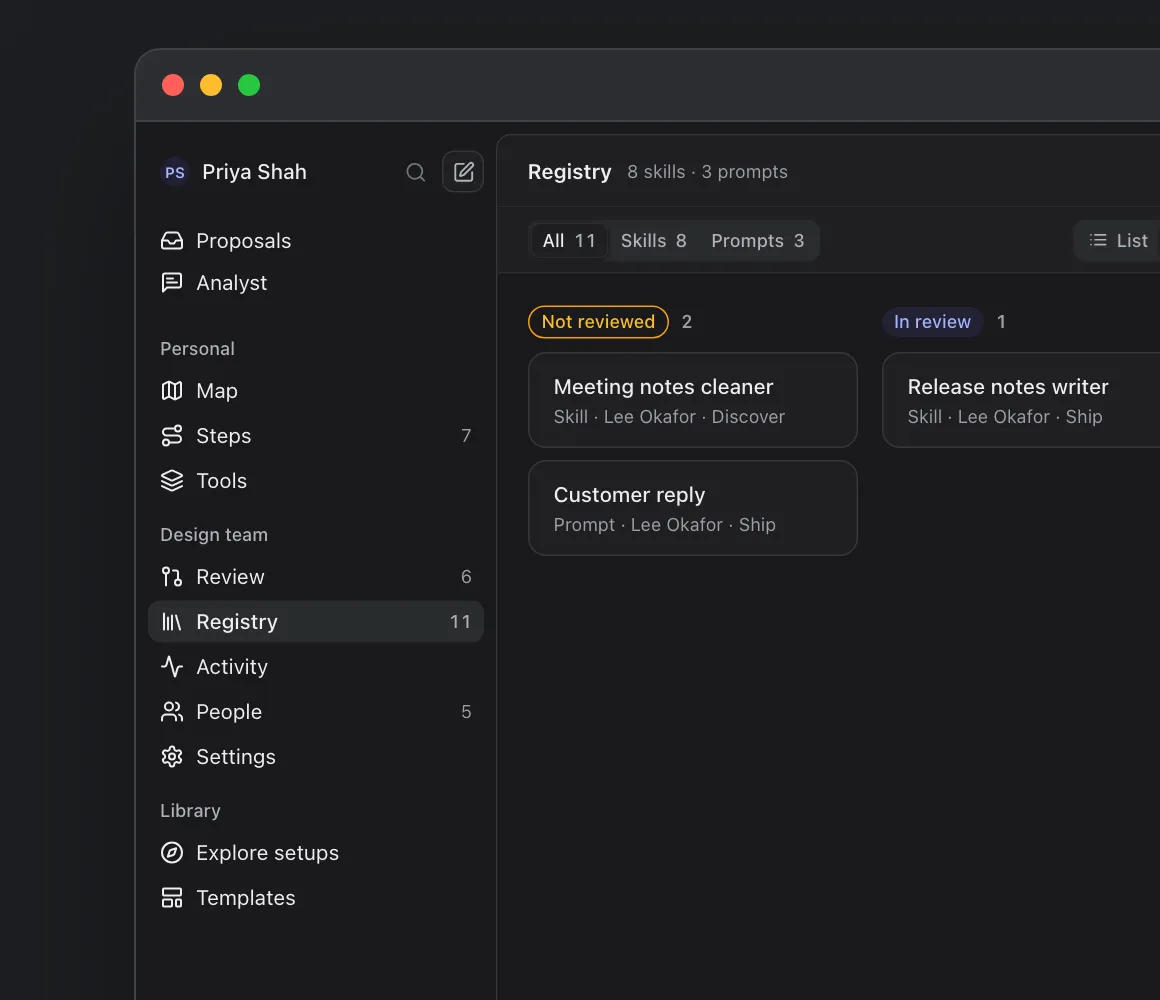
- The web app: review queue, skill registry, activity log, people, settings and Steps.
- Prompt Palette
- The redesign and its run states, in SwiftUI.
- Shared
- One governance vocabulary for both apps, and rule modules with tests that catch planted bugs.
The Problem
Sam has no way to pick the version the team runs, or to look up which version ran.
Priya is a builder on a five-person design team. She writes the skills her team runs in Claude and Codex, like a bug triage skill that turns a Linear issue into a ranked verdict.
When Priya improves that skill, she has no good way to ship it. She pastes it into a doc or pushes it to a shared folder and posts the link in Slack. Some teammates copy the new one, some keep the old one, and nobody knows which copy is current.
Sam leads the team, and approves changes in Slack threads or not at all. When a triage verdict looks wrong a week later, Sam can’t say who ran the skill or which version produced it.
The Palette
I built the palette for myself, before Atlas existed.
I started it in early 2026. I had been keeping prompts in Raycast, but syncing snippets there needed Pro, and it wasn’t specific enough for how I work. So I built my own.
Keeping track of my own prompts and skills was already hard, especially across devices and apps. So the palette reads its prompts from a Notion database. I can add one from my phone in the middle of the day, or save it from the browser with the palette’s Chrome extension. My personal agents add prompts the same way, by writing a page to that database. The palette picks up new rows when it launches or when I refresh it. Skills don’t go through Notion. The palette finds them in the folders where my agents keep them.
Here is Priya using it. She is in Claude, about to review a teammate’s pull request, and her team has a skill for exactly that.
⌘⇧K, mid-review
Priya presses ⌘⇧K in Claude. The palette opens over it, with the search field ready.
She types “review”
One list holds her prompts and her team’s skills, and it narrows as she types.
⌘3 for skills only
All, Prompts and Skills switch from the keyboard, so her hands never leave it.
Return, and it’s in Claude
The code review checklist lands as its slash command, and the palette closes. ⌘Return would also send it.
It still works without permission
Without Accessibility access the palette copies instead, and says “Copied. Press ⌘V to paste.”
A skill is long, so Priya can press the space bar to read the whole thing in a full window before she runs it. She pins the skills she reaches for every day and marks others to try later. Each one shows how many times it ran in the last 30 days, so she can see which ones her team uses.
Making it match Atlas
Once I saw the two apps as one system, the palette had to look and talk like Atlas without losing anything it already did. It had no brand of its own, so it took Atlas’s fonts and colors, and each state now means the same thing in both apps. Each use category and tag got an icon and a color, so Priya tells a code skill from a design skill at a glance.
The rest came from my own complaints as its daily user:
- Words people use
- Prompts and skills sat in separate tabs, and a count like “3x” didn’t say what it counted. Now there is one list with scopes, and the count says how many runs a skill had in the last 30 days.
- Views
- Like Linear, the palette now has display options, an advanced filter and a board view behind one menu.
- Filters that stay
- The project menu picks several projects and stages, and keeps them between launches.
- Room to edit
- Long text fields can be edited in the full window, not only read there.
The Prompt & Skill Landscape
| Tool | Approval | Runs | Plain review | Run record | Stages |
|---|---|---|---|---|---|
| Atlas and Prompt PaletteThis projectApproval in Atlas reaches the palette at the moment of running. Demo data today. | Yes | Yes | Yes | Yes | Yes |
| Claude org skillsTeam and EnterpriseOwners publish versions that run in Claude and Claude Code. Uses are counted per skill, not per version. | Yes | Yes | Yes | No | No |
| Raycast TeamsShared AI commandsAny member can share and edit a command. The docs describe no review, versions or usage record. | No | Yes | No | No | No |
| PromptHubPrompt version controlCommits and merge requests, like code. You test prompts there, and your own app runs them. | Yes | No | No | No | No |
Each of these tools does part of the job. None of them records which approved version someone ran.
Claude’s org skills come closest. Owners push an approved version to everyone, but Claude counts uses per skill, not per version, and skills don’t know which stage of the work they’re for.
The People
Four proto-personas, one per role, each turned into a criterion I can check on a screen.
They come from desk research, not interviews.
- Sam, owner
- Leads the team, approves changes and sets its rules. Approves a change without reading a git word.
- Priya, builder
- Writes the skills the team runs. Runs her edited draft to test it, then submits it as a new version in one action.
- Lee, member
- Only runs skills, from the palette. Reaches the approved skill for their stage in two actions or fewer.
- Auditor
- Only reads. Answers “who ran this, on which version, in which stage” from one filtered view.
Next I’ll test the personas in four to six conversations with engineering, design and ops leads. The design questions those conversations answer are already written into the plan.
The Model
Atlas approves skills, and the palette runs them.
Atlas writes approvals to one signed, append-only record, and the palette writes runs to the same record. Neither app shows more than the record says.
The Decisions
Six decisions shaped the screens in both apps.
Priya has improved the code review checklist again. Here is what each of them sees, from her first test of the change to Sam’s approval and her next run.
Anyone can run any skill
Priya has to run her edited checklist before she can tell whether it’s better, so nothing stops her. Anyone can run any skill: their own, a draft, or a team skill set up for another role. Governance covers the team’s shared standard, not the person: what shows as team-approved, who can change the team version, and which skills are suggested for each role and stage.
I first designed the opposite, where a skill outside your role wouldn’t run. I dropped it. Blocking wouldn’t work, because a skill is a text file. Anyone can copy it and run the copy. “May I use this?” and “Is this the team’s endorsed version?” are also different questions, and only the second is the team’s to answer.
So testing a change is its own flow. Priya edits a draft of the team skill and runs it in the work she’d normally use it for. Then she submits it as v4, and Sam runs the candidate before approving it.
Where a skill is set up for another role, the palette says “Set up for other roles” and keeps Run available. A role only changes what the palette suggests.
Sam reviews without git words
Priya’s v4 lands in Sam’s review queue. The queue tells Sam who sent the change, who it reaches and what changed in the instructions. Nine people run v3 today, and they get v4 the next time they open the palette, so nobody is switched mid-task. There is no branch, merge or commit anywhere in it.
Approve waits for the record
When Sam clicks Approve, Atlas shows “Waiting for the ledger”, not “Approved”. The registry, the activity log and settings changes wait the same way. If Atlas showed “Approved” first and the write failed, the audit trail Sam relies on later would be wrong.
Priya sees what she’s about to run
Back in the palette, Priya opens v4 before she runs it. The preview shows the approved version, who approved it, what changed since her last run and the approved instructions. Run is the only button.
Settings are requests
When Sam wants to make Priya an owner, Atlas sends a request that another owner approves. Making someone an owner needs two approvers, and a team always keeps two owners. Rules that protect the record, like “nobody approves their own work”, sit under Always on with a lock, so Sam can see what is policy and what isn’t.
One word for each state
While building both apps, I found the same state named two ways. The same skill read “Unreviewed” to Sam in Atlas and “Not approved yet” to Priya in the palette. Each state now has one name and one tone in one file. Atlas reads it, and a generator writes the Swift version for the palette. Sentences stay per app, because Sam reads Atlas and Priya reads the palette.
The Handoff
Sam can open a skill from Atlas straight into the palette.
Sam is looking at the team’s code review workflow in Atlas Steps, at the step that uses the checklist. Open in palette used to show only a notice, so people switched apps and searched for the skill again. Now the button opens the palette already searching for that skill, so nobody types its name twice.
To make that link work, I had to do more than add a URL. The palette registers the promptpalette:// scheme and receives open?q= as an Apple Event, because the SwiftUI app lifecycle never passes it to the usual handler. It registers that handler before launch and again after, and holds a link that launches the app until the palette exists. Atlas’s Mac shell is a web view that dropped the link without an error, so it now hands any non-web link to macOS.
Four fixes from using it every day
- Two levels of bar
- Each Atlas page put its title and filters somewhere different. Now the title bar names the page once, and a second bar holds filters, views and Viewing as, the way Linear does.
- A Board by review status
- In the Registry list, Sam couldn’t see how skills were moving through review. A Board with one column per review status shows it at a glance.
- Filtering shows what’s left out
- In Steps, dimming wasn’t strong enough to tell what matched, and fading with opacity failed contrast. Matching tasks keep their card and get an accent edge. The rest lose their surface but stay readable.
- A description you can skip
- The automatic preview cut words in half and sat far from the prompt it described. Now an optional description sits above the body. Left empty, it uses the first line, cut at a word.
The Solution
Approved means recorded
Approve waits for the signed ledger, and the request only reads Approved once the record has it.
Every row says where it stands
In the Mac palette, every skill runs. Each row says whether it is the team's approved version, and offers at most one thing to do.
One name per state
Both apps read one file, so a skill no longer says Unreviewed on the web and Not approved yet on the Mac.
Open in palette opens it
The link carries the skill's name, so the palette opens already searching for it.
A Board by review status
The Registry gained a Board with one column per review status, so an owner sees where every skill stands.
A log that marks weak data
Runs come from each person's palette, so the log says Self-reported, flags a decision the ledger didn't sign, and keeps a missing one in view.
Both apps read and write one record, so Sam’s approval reaches Priya’s next run.
I’d measure success by whether an auditor can answer “who ran this skill, on which version, in which stage” from one view, and whether Priya reaches the approved skill in two actions.
The Takeaways
Design the record before the screens
I wrote the data model spec and had it reviewed three times before drawing a screen. Every screen had to agree with it, and the waiting states, like “Waiting for the ledger”, came straight from it.
Rules belong in data
The permission matrix, the review gate, the run states, the settings rules and the vocabulary are plain code with tests. The tests caught every bug I planted in them.
Design in the real product
I designed every screen in code, on the real apps and their tokens. I audited 70 states in light and dark with no accessibility violations, and 232 web unit tests pass.
The Future
Real now
- Atlas web app, on demo data
- Palette opening, searching, pasting and shortcuts, since early 2026
On a branch
- Palette redesign
- Run log of team skill runs. Atlas doesn’t read it yet
Designed, not live
- The ledger
- Palette states in its live list
- Real GitHub behind approvals
Next
- Talk to four to six team leads
- Are stages real to them? Who owns the audit question?
Atlas still runs on demo data.
Next, I’ll talk to four to six team leads, to find out whether stages are real to them and who on their team owns the audit question.